Workflow Consulting

We build the backend systems that let you focus on your actual work.

Most small business owners spend half their day managing the operation instead of doing the thing they're good at. We set up ClickUp workspaces, build automations, and create AI agents that handle the operational side of your business so you can get back to serving clients and growing.

Start Your Build

Free consultation. No commitment required.

What We Deliver

We don't hand you a template and wish you luck. Every workspace we build is designed around how your specific business actually operates, from intake to delivery to follow-up.

Full ClickUp Implementation

We map out your entire operation and build it into ClickUp from scratch. That means your spaces, lists, custom fields, views, permissions, and forms are all configured to mirror the way you already work, just without the chaos.

Workflow Automation

We identify the tasks you do the same way every single time and we automate them. Client fills out a form? Task creates itself. Job marked complete? Follow-up email goes out. Deadline approaching? You get reminded before it's too late.

Industry Templates

We've built ready-to-use systems for event planners, stylists, rental companies, and other service trades. These aren't generic project boards. They're real operational systems designed for how your specific industry works.

AI Agents & Integrations

We build smart assistants that triage incoming emails, create tasks from form submissions, route work to the right person, and send follow-ups on your behalf. Your business keeps responding even when you're heads-down on client work.

Dashboards & Reporting

One screen that shows you everything that matters: jobs in progress, revenue this month, what's overdue, who's at capacity. No digging through spreadsheets or asking your team for updates. Real-time visibility into your whole operation.

Monthly Support Retainer

After your build is live, we stay available. That means monthly tweaks, new automations as your needs change, strategy calls, and priority support whenever something comes up. Cancel anytime, no contracts.

Systems We've Built

Each of these started as a business running on sticky notes, group chats, or spreadsheets. Here's what they look like now.
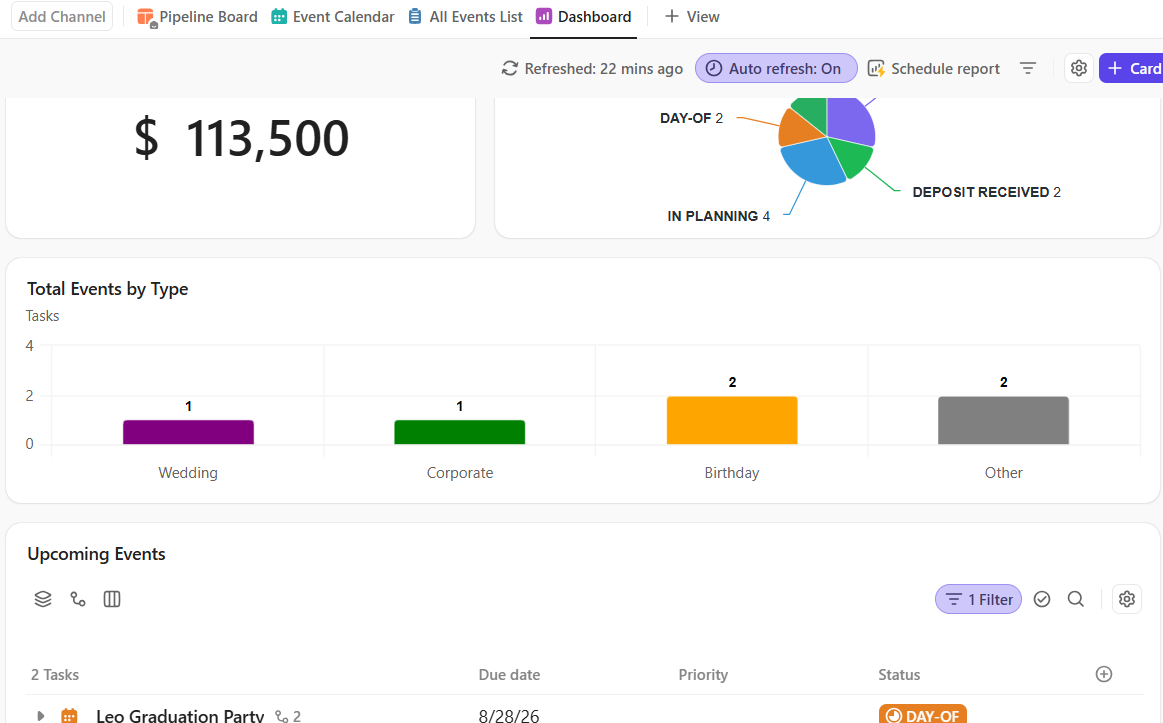
Operations Dashboard
Event Planner

Full operational dashboard with real-time visibility across 30+ active events.

The Problem

This planner was managing over 30 events per year and had no way to see the big picture. Status updates lived in her head. Revenue tracking was a spreadsheet she never opened. She couldn't tell at a glance what was on track and what needed attention.

What We Built

A real-time dashboard showing events by status, upcoming deadlines, total pipeline revenue, and events by type. One screen, always current, no manual updates needed. She opens it every morning and knows exactly where everything stands.
Full pipeline visibility. Zero missed deadlines in 6 months.
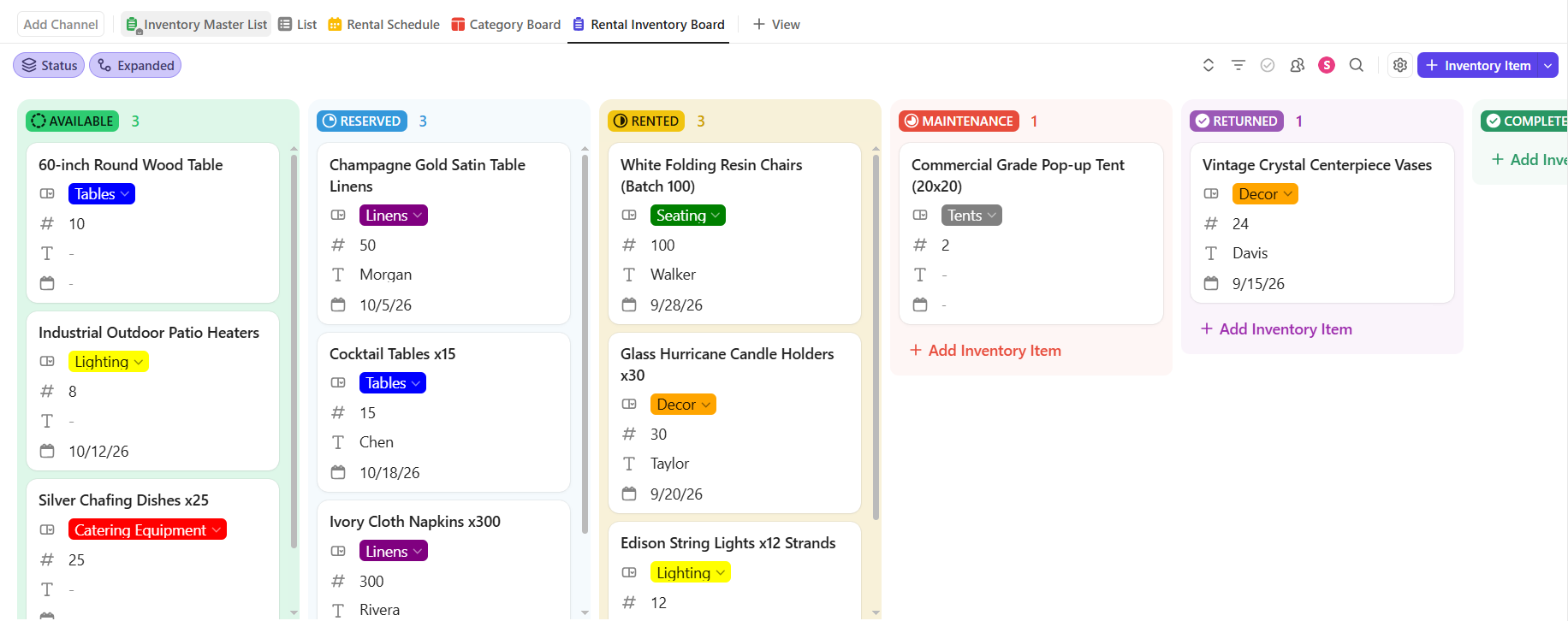
Rental Inventory Board
Party Rental Company

Paper calendars and phone-only bookings replaced with real-time inventory tracking.

The Problem

Three warehouses of inventory, a paper calendar on the wall, and every single booking done over the phone. Every busy season meant double-booked items, frustrated clients, and hours spent on calls just confirming whether something was available or already spoken for.

What We Built

A board that tracks every item with real-time status: Available, Reserved, Rented, or Returned. When a customer fills out the online intake form, items auto-reserve and availability updates instantly. Return-date reminders fire the day after each event. Clients get booking confirmations without anyone picking up a phone.
Zero double-bookings since launch. 5+ hours saved every week.
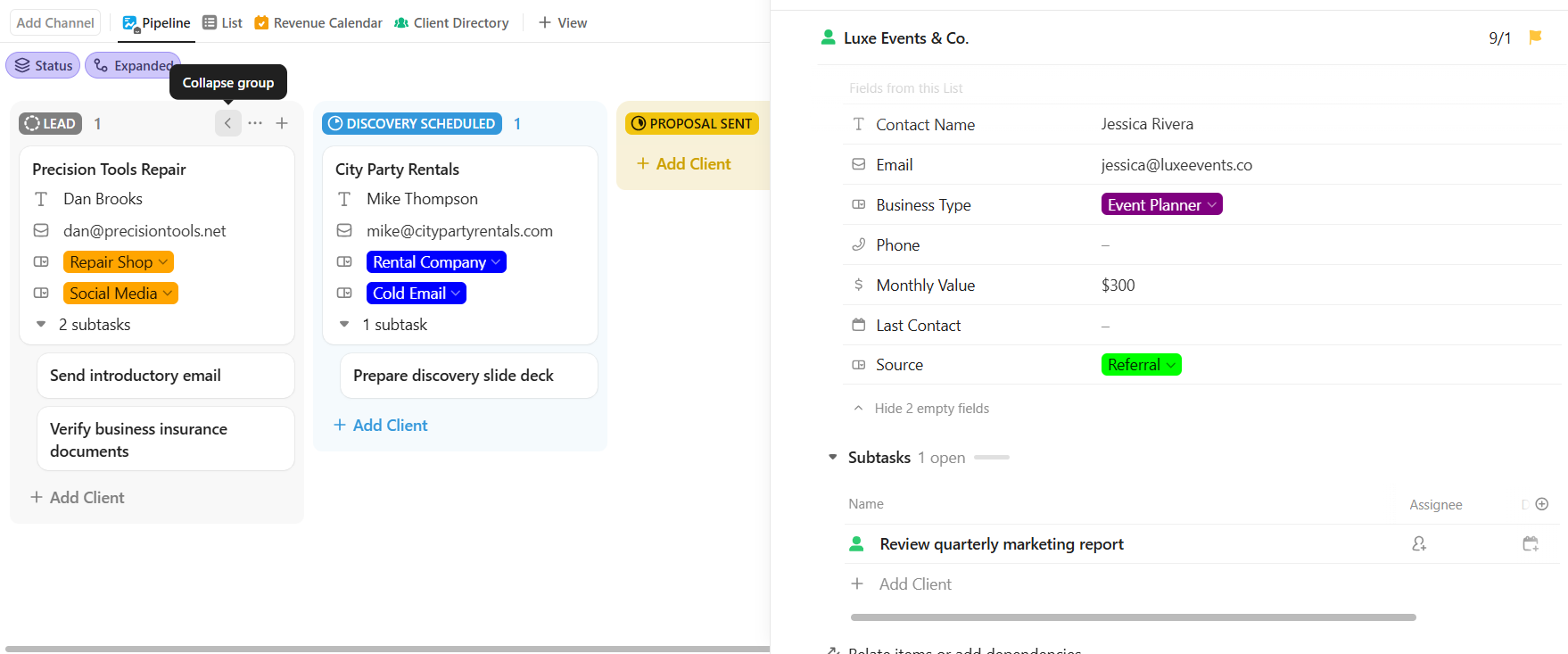
Client CRM
Client Management CRM

Spreadsheet client tracking replaced with a full relationship pipeline.

The Problem

Leads came in from referrals, cold emails, and the website form, but there was no system to track who was at what stage. Follow-ups got missed. Active clients slipped through when their retainer was up for renewal. Revenue was impossible to forecast.

What We Built

A board-view CRM where every client moves through Lead, Discovery, Proposal Sent, Active, and On Retainer. Custom fields track business type, monthly value, source, and last contact date. The owner sees her full pipeline at a glance and knows exactly who needs attention.

No more missed follow-ups. Full revenue visibility in one screen.

What Automation Actually Looks Like

These are real workflows we've built. Each one replaces a manual process that used to eat up hours every week.

Event Booking: Inquiry to Review Request
A potential client fills out your booking form. From that moment until 3 days after the event, the system handles every touchpoint automatically.
Client fills out booking form
Task auto-creates with event type, date, guest count, venue, budget
You get a notification and email summary
You move card to "Deposit Received"
Client gets confirmation email with next steps
14 days before: vendor + menu reminder fires
Day-of checklist assigns to team
Complete → review request sends 3 days later

Your only manual step: move one card when payment hits. Everything else runs on its own.

Rental: Request to Return
Customer requests items, availability checked, reserved, return cycle enforced automatically.
Rental request form submitted
System checks availability
Available → Reserved + confirmation email
Event date → status: "Rented"
Next day: return reminder
Returned → "Available"
48h overdue → alert + late fee email

Never manually check inventory. The system handles every step.

Client CRM: Lead to Retainer
New lead comes in from your form. The system tracks every stage of the relationship until they're on retainer.
Lead submits contact form
Task creates in "Lead" with business type, source, contact info
You move to "Discovery Scheduled"
After call: move to "Proposal Sent"
7 days no response → auto follow-up email
They sign → move to "Active Client"
Retainer renewal date → auto-reminder to check in

You never forget to follow up. The system handles every touchpoint in the client lifecycle.

What Clients Say About Working With Us

"

I gave her a pile of spreadsheets and a vague explanation of how my business runs, and she came back with a system that my entire team understood on day one. I genuinely don't know how I managed 30+ events a year without this.

R.K. · Event Planner
"

We used to lose rental orders every single busy season. Since the system went live, we haven't had a single double-booking and our busiest quarter ran smoother than our slowest one used to.

Y.S. · Party Rental Company
"

I had no idea where my leads were or who I'd followed up with. Now I open one board and I can see every client relationship at every stage. It's like having an ops manager I didn't have to hire.

D.M. · Service Business Owner
"

Honestly, I was skeptical about paying for a setup when I could technically do it myself. But the system she built paid for itself within the first month. I used to spend hours every week on follow-ups and now I don't think about any of it.

C.G. · Repair Shop Owner

Frequently Asked Questions

How long does a build take?
Most builds are delivered within 1 to 3 weeks depending on complexity. A simple single-workflow setup can be done in a week. Larger builds with multiple teams, automations, and integrations take closer to three. Your timeline starts once you provide workspace access and the information we need to get started.
Do I need to know ClickUp already?
Not at all. Most of our clients have never opened ClickUp before we start. We handle everything: setup, configuration, and a walkthrough so you know exactly how to use it when we hand it over.
What does ClickUp cost?
ClickUp's Unlimited plan starts at $7 per user per month, paid directly to ClickUp. That's separate from our consulting fee. For solo businesses, you're looking at about $7/month total for the software.
What's the difference between buying ClickUp and hiring you?
ClickUp is the tool. We build the system. Buying ClickUp on your own gives you a blank workspace and a learning curve. Hiring us means you get a complete operational system designed around how your specific business runs, fully configured, automated, and ready to use from day one. Implementation and ongoing support are built into the engagement.
What if I need changes after the build?
We offer a monthly support retainer for exactly this. Minor tweaks, new automations, and questions are covered. If you need something bigger down the road, we scope and quote it before doing any work. No surprises.

Ready to get your business running on a real system?

Fill out a quick form and we'll put together a free walkthrough showing you exactly what your setup could look like. No pressure, no jargon, just a clear picture of what's possible.

Get Started

Or reach out directly: info@striveworkflows.com